File the flight. The records keep themselves.
Component life counts down, each pack's resistance trend is drawn, currency clocks run and the filing deadline computes itself. No score ever grounds you: the decision to fly stays yours, and the record proves everything you did.
14-day trial, no card, for up to 5 people and 3 registered aircraft. Or read a flight log free, no account.
Whatever the mission, one record underneath
Different work, the same flight, aircraft and crew records. Running a police, fire or DFR program? Public safety has its own page.


Spray application records (product, rate, area treated) are not kept in RotorLab yet; keep those where you keep them today.
The flight is the spine
Drop the log from ArduPilot, PX4, DJI, Parrot, Litchi, an Airdata export, a GUTMA file or a plain CSV. The flight record it becomes feeds every clock below.
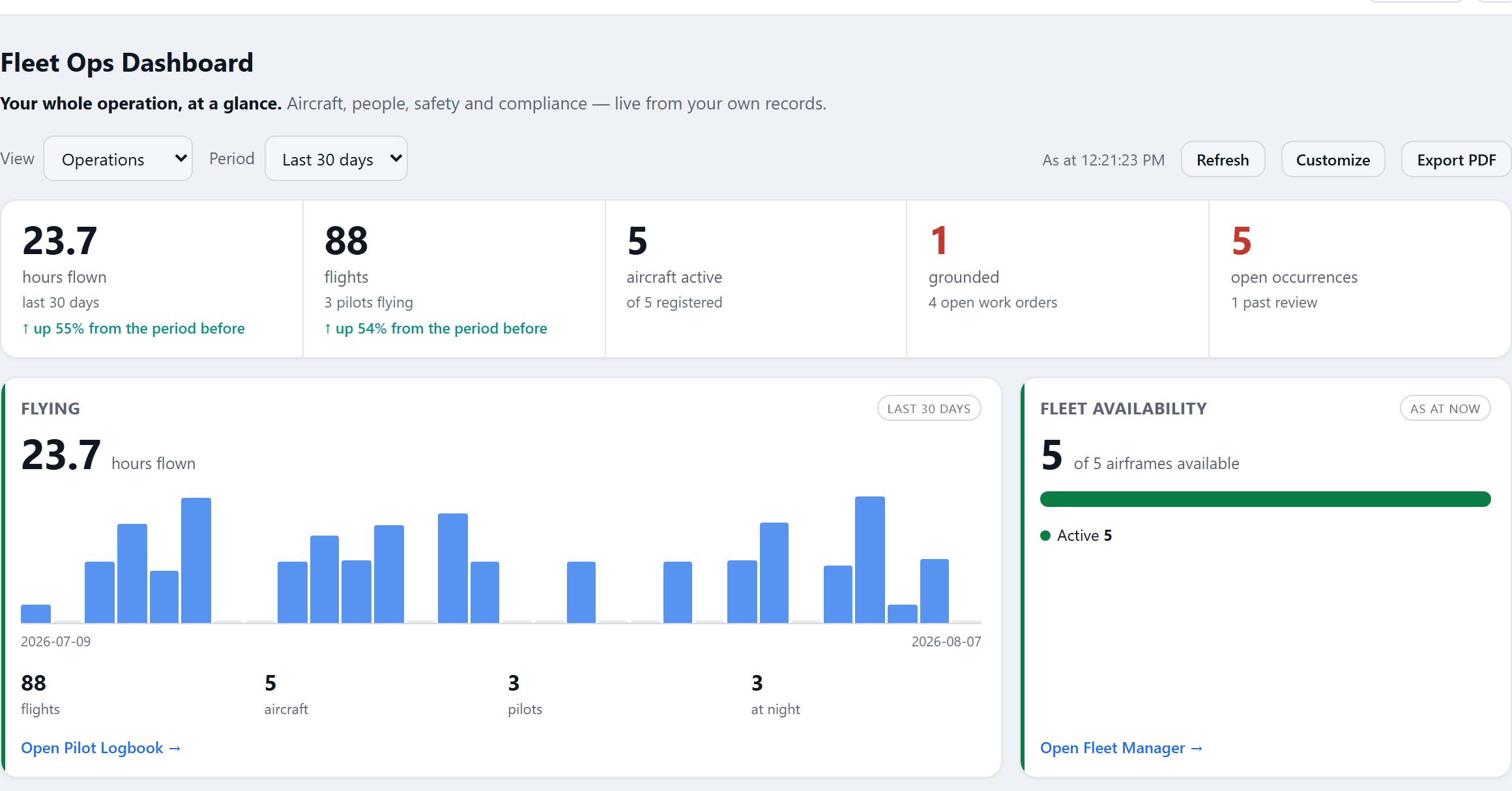
Your morning starts on one board.
Grounded aircraft, packs nearing their horizon, filings on the clock and crews out of currency, above the charts. Triage in a glance, then get on with the day.
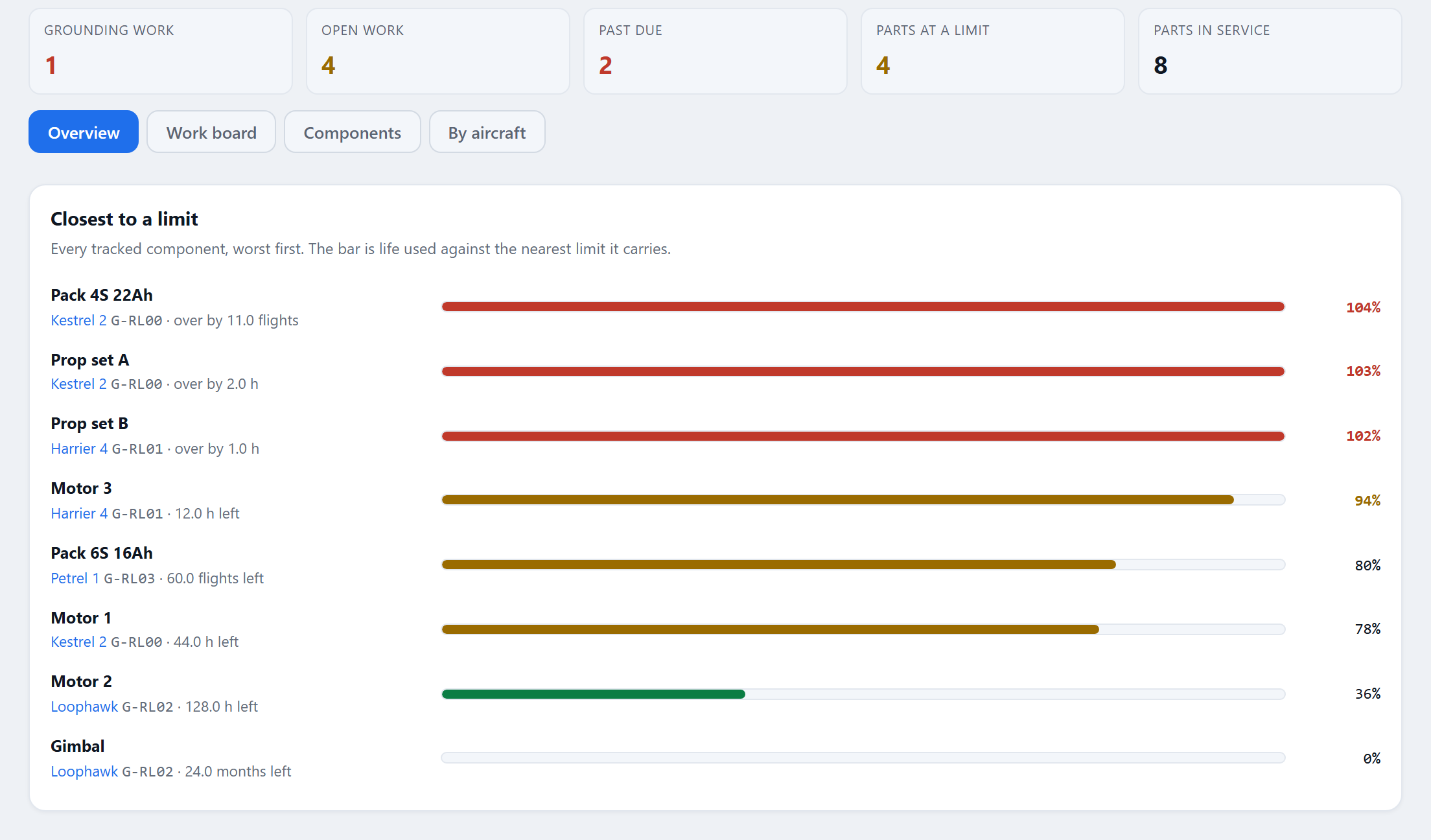
Maintenance that counts itself down.
Every filed flight moves the counters. Work orders open where you set them, and a closed repair gets a measured verdict from the flights either side of it.
The whole program, one download.
Operations manual, dossiers, declarations and the registers as they stand, every document hashed and verifiable. The binder is a button, not a week.
In the product
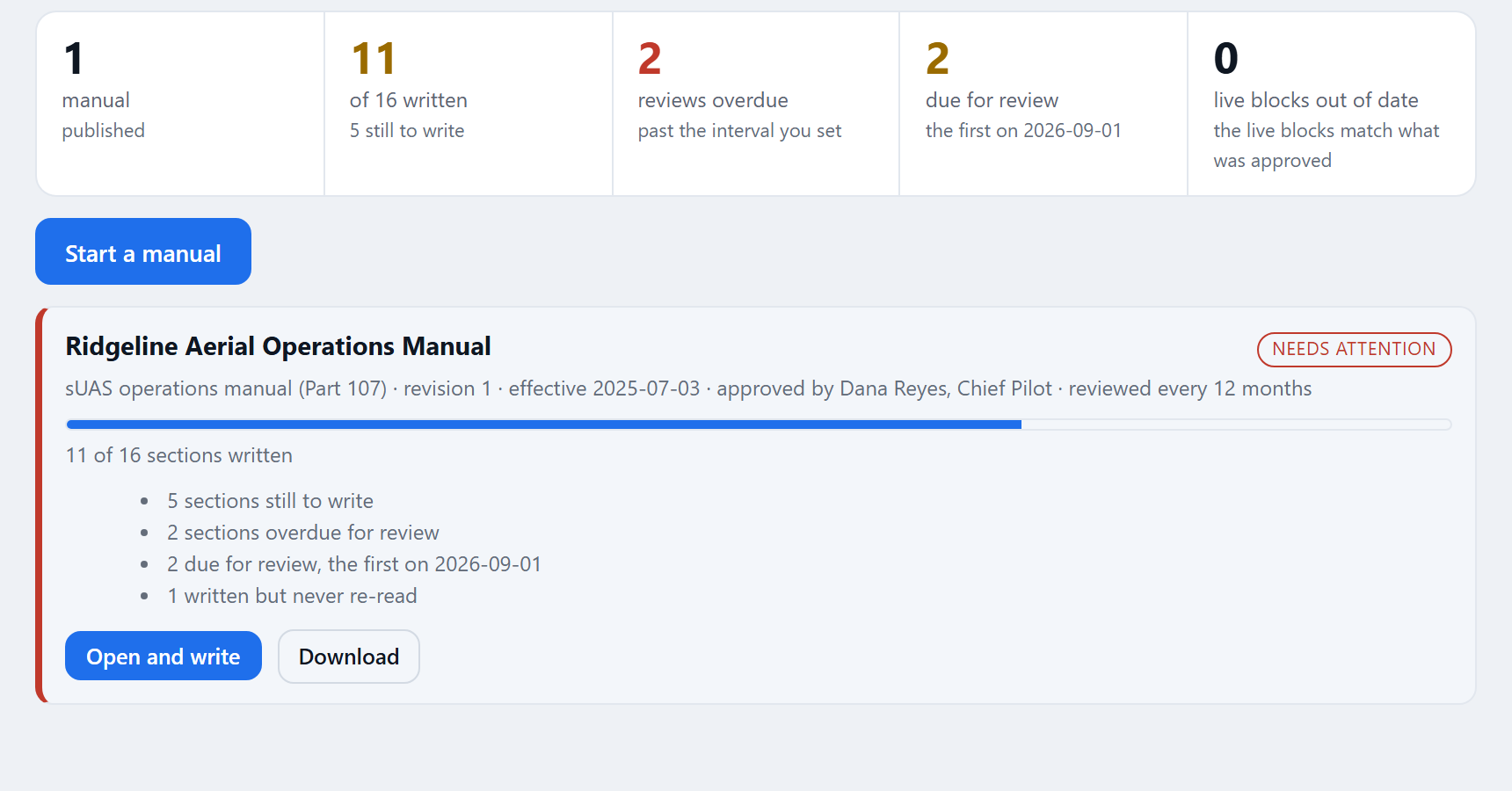
Three screens the chief pilot and the maintainer open most.
The clocks you would otherwise keep in your head
Shown, never enforced: RotorLab computes, warns and documents. The call stays yours.
A retirement date, months out
Cycles derive from the flights a pack actually flew, and measured internal resistance trends toward a horizon you can see coming.
Current, without the spreadsheet
Training roles hold the requirements, sign-offs run the recurrency clocks, and the dispatch board shows readiness beside every sortie.
A register that means something
Start from the twelve-hazard library, score risk before and after mitigation, and put a name on every acceptance. Mitigations link to living records.
RotorLab is advisory by design. Readiness numbers gate nothing, and every score names the signals behind it: that distinction is the whole point.
The specifics
For the person who will run it. The full guides are at docs.rotorlab.app.
Flight logs and formats
ArduPilot dataflash and its text export, MAVLink telemetry, PX4 ULog, DJI flight records (current encrypted ones included where your organization switches DJI reading on), Parrot FreeFlight, GUTMA, Litchi, Airdata and DJI CSV conversions, and Betaflight and INAV Blackbox. Aircraft, date, duration and track are read from each log, its findings come with it, and you add only what a log cannot know. Aircraft that run ArduPilot or PX4 come in through the autopilot's own log; a ground station or Fleet Server can file flights for you. Every reader is measured against public logs, with the results published.
Maintenance programs and work orders
A maintenance program holds tasks with tolerances and forecasts; inspections and component life count down from the flights, not from a spreadsheet. Defects, deferrals and release to service are signed on the record. A flag that calls for work raises a work order when a flight is filed, and life-limited parts announce themselves before the season does.
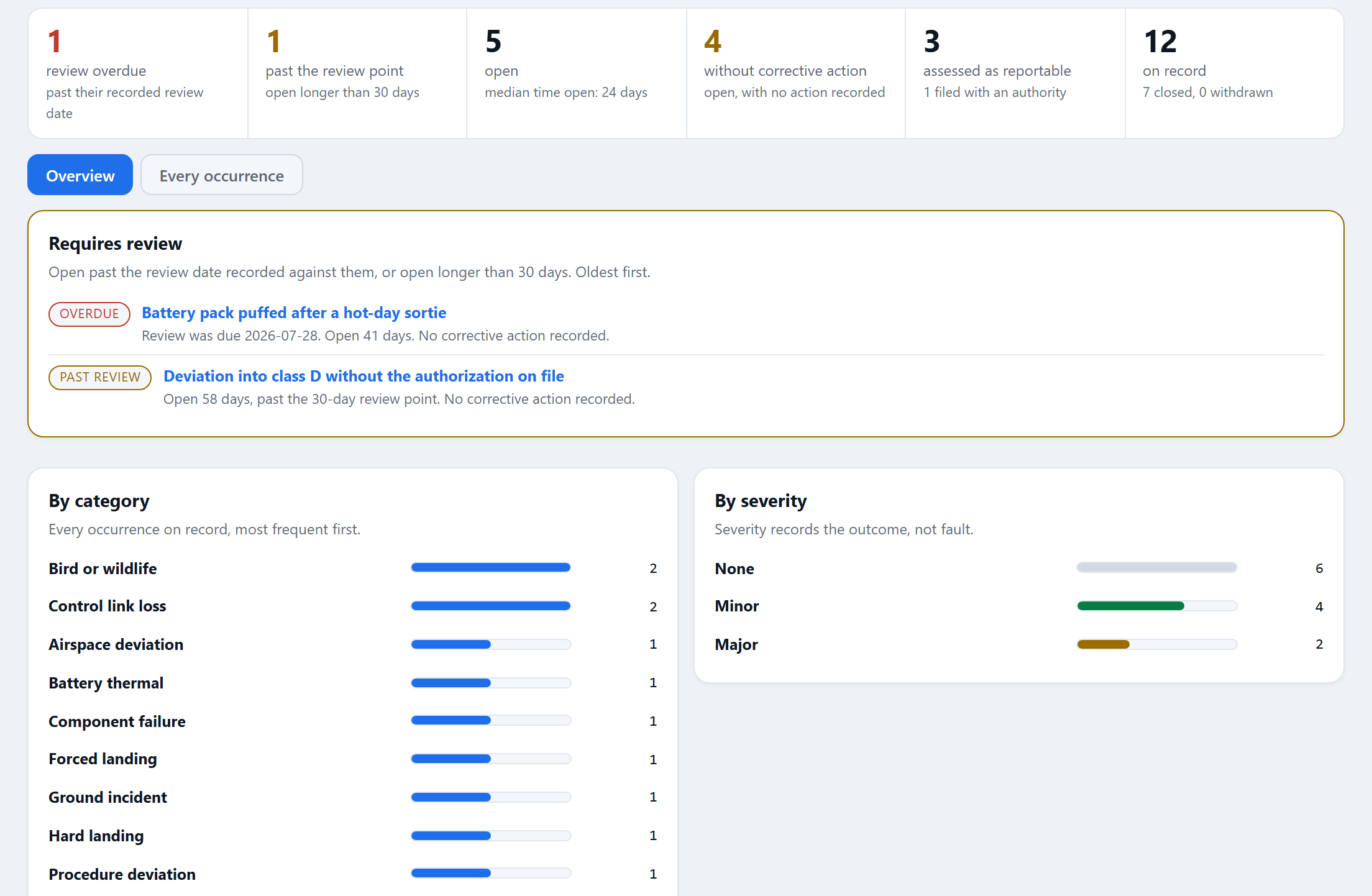
Occurrences and authorizations
Each occurrence carries its category, each duty it carries gets its own clock, and every filing is recorded with the reference you got back. Authorizations and insurance certificates sit on the organization with their expiry dates, soonest first, so a lapse is seen coming while there is still time to renew.
The binder and the verification code
The audit binder assembles the operations manual, dossiers, declarations and registers as they stand, with a SHA-256 for every file and a verification code anyone can check at rotorlab.app/verify. Records are timestamped daily by independent services; the Trust Center says how.
What this page needs: the dashboard, flight records and the Log Analyzer come with every plan. The rest are add-ons: Fleet Manager (per aircraft), Maintenance Records, Authorizations & Insurance (which carries occurrences), Ops Manual Builder, Currency & Training Programs and Safety Management. Studio includes all of them, with 12 aircraft; every one is on during the 14-day trial, for up to 5 people and 3 registered aircraft. Prices are on the pricing page.
Your fleet can prove everything it did.
File one flight today and watch the first clock start. Building aircraft instead? Manufacturers have their own page.